Spreadsheet suddenly turned all white/without any grids, rest of workbook is normal
I'm not sure what I did exactly but suddenly the spreadsheet I am working on is completely white (screenshot here). I must have lazily hit a random hot key trying to quickly toggle between sheets. The rest of the spreadsheets are normal with visible data (screenshot here - sample of new spreadsheet for privacy).
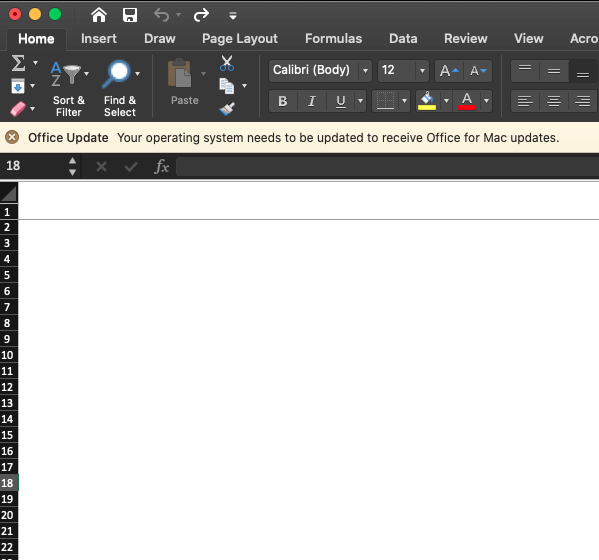
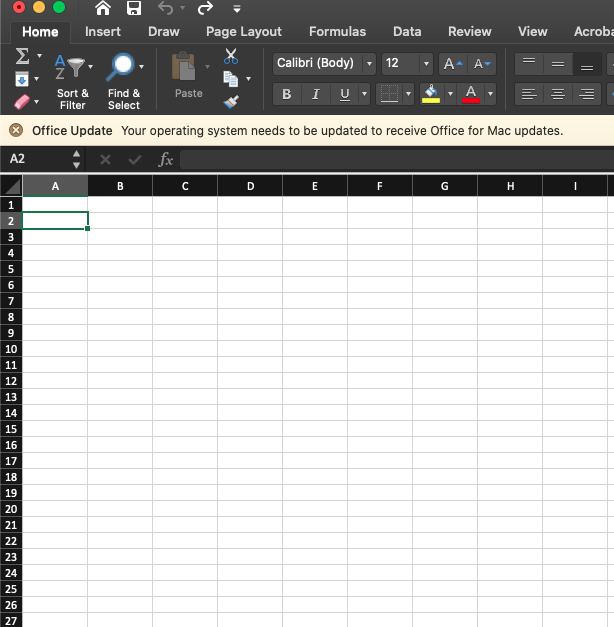
I don't think anything is erased since I can see there is data behind the white (the formula bar shows contents).
Please tell me this is fixable. I'm in the middle of itemizing 1600 lines and I really don't want to have to start over :(
Edit: gridlines are currently turned on in the view ribbon
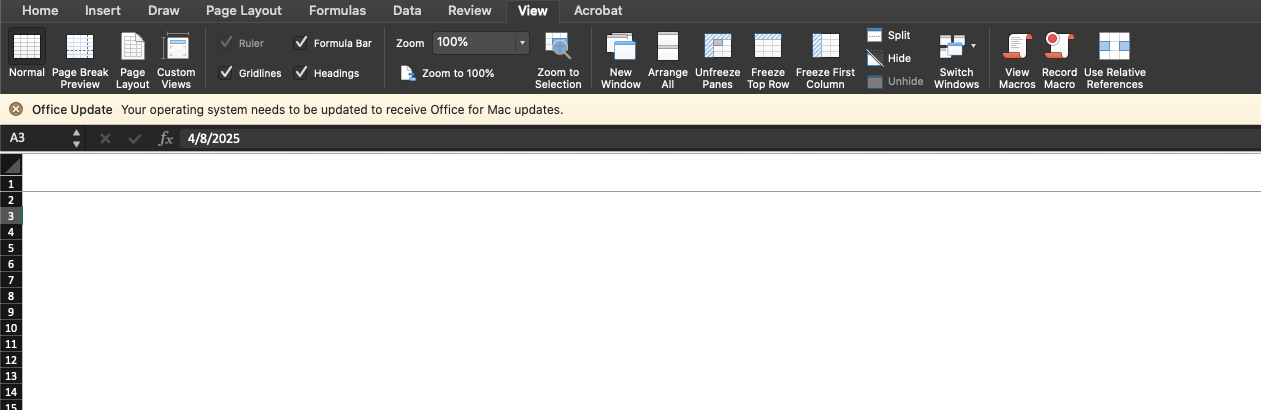
Edit 2: I'm currently working on a Mac if that helps with hotkey suggestions.
Final Edit: SOLVED! Turns out I somehow hid the columns via hotkey. If you look at my screenshots, the row numbers on the left are visible but the column letters on the top are not.
Addendum to final edit: So I selected an entire row and then instead of hitting "CMD -", I hit "CMD 0," which will hide the selected columns.
[link] [comments]
Want to read more?
Check out the full article on the original site